Mobile App
The Quiltacy App
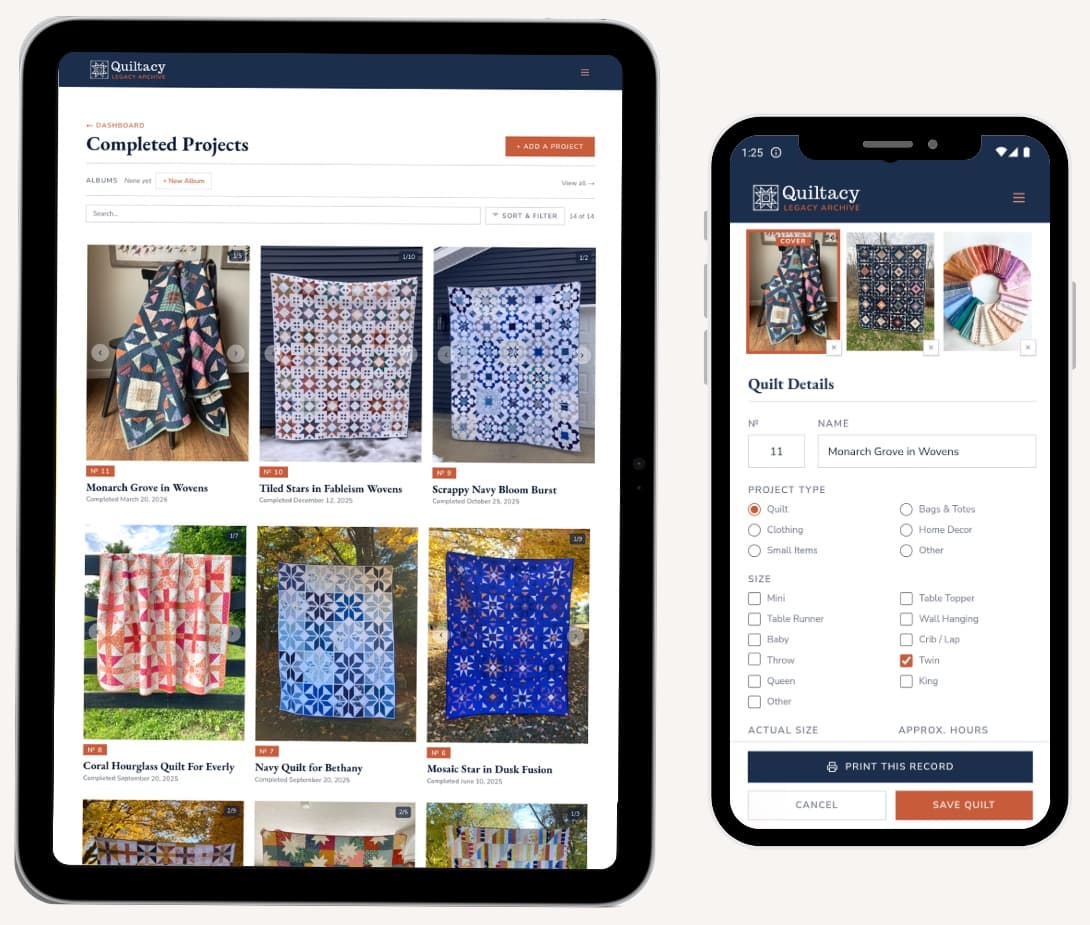
Record your quilts from your phone or tablet, with app features made for mobile devices. Sign in with your Quiltacy account, and your whole archive is right there.

Apple app coming soon
App features
Take photos with your camera
Inside any record, tap to add photos and choose Take a photo now. Your camera opens, and the photo goes straight into that record.
Add up to 10 photos at a time
Pick up to 10 photos from your library at once and add them to any record in one step.
Save photos from your Photos app
Open a photo in your phone's Photos app, tap Share, and choose Quiltacy. Pick the record it belongs to, and the photo is saved there without opening the app first. You can share several photos at once to the same record.
WIP Reminders
Turn on WIP Reminders, and Quiltacy will nudge you to log your sewing progress. Get a reminder every 1 to 4 weeks, or only when you haven't opened the app in a while, and write your own reminder message.
Works offline
Don't have wifi at your quilt retreat? Your records and notes open in the app without a connection, and you can edit and add records offline too. The app saves your changes to your account once you're back online. To see your photos offline as well, turn on the Offline Photos setting on the app's Dashboard.
Home screen widgets
iPhone and iPad
Available in the iPhone and iPad app. Add a Quiltacy widget to your home screen to feature a different quilt each day, along with how many works in progress you have going and how many projects you've finished this year.
Larger text
The app is compatible with the Large Text settings on your phone or tablet, so your records are always easy to read.
One account, on every device
The app and the website share one account. Sign in with the same email on both, and you'll see the same quilts, works in progress, photos, and albums.
Your account stays in sync across every device. When you log a quilt in the app, it will also show on the website when you refresh the page (and the other way around).
Managing your subscription
Your plan works everywhere you sign in, no matter where you bought it. If you already have a plan, there's no need to buy another one in the app. Just sign in.
Manage your billing plan on the device where you made the purchase.
Bought on the Quiltacy website
Sign in at quiltacy.com, open My Account, and choose Billing & Plan.
Bought in the Android app
Open the Play Store app, tap your profile picture, then Payments & subscriptions, then Subscriptions.
Thinking of canceling? Read Preparing Your Archive Before Canceling first, so you know what happens to your records.
Get the Quiltacy app
Prefer your web browser? Quiltacy works on any phone, tablet, or computer, with nothing to download.
Apple app coming soon
Google Play and the Google Play logo are trademarks of Google LLC.